
Since May 2026, the Russian state-sponsored threat actor Midnight Blizzard has been operating a campaign called CaptiveCrunch. A sub-cluster called Storm-2945 is compromising the captive portal systems used to authenticate users to guest Wi-Fi networks at hotels, conference centers, and co-working spaces worldwide.
When a business traveler connects to a compromised guest network, the campaign can deliver one or both of the following attacks:
Microsoft attributes CaptiveCrunch to Midnight Blizzard, the Russian Foreign Intelligence Service (SVR) threat actor responsible for the SolarWinds supply chain attack and the 2024 Microsoft corporate breach. The campaign is confirmed active as of July 31, 2026, and Microsoft has noted that Storm-2945 is leveraging AI to support a significant portion of these operations.
CaptiveCrunch does not require phishing emails, credential stuffing, or endpoint malware delivered through the corporate perimeter. When a device connects to a new Wi-Fi network, the operating system automatically redirects to the captive portal, the same step users expect at any hotel or conference venue. CaptiveCrunch hijacks that moment: the attacker controls what the portal serves, and the attack arrives inside a flow that looks and feels like a normal Wi-Fi login. The user must still take an action (accepting a fake update prompt or entering a device code on what appears to be a Microsoft authentication page) but the context makes the deception significantly more convincing than a standalone phishing email.
For Microsoft 365 operators and MSPs, the operational implications are direct:
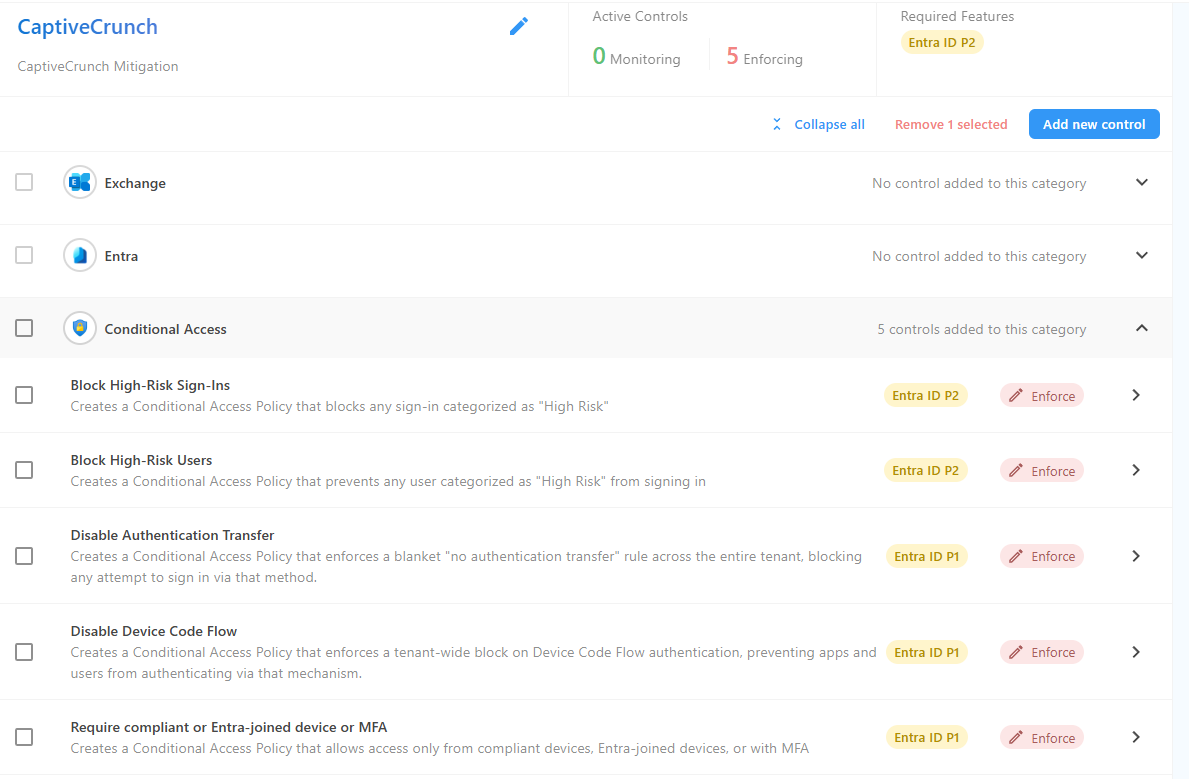
The device code phishing component of CaptiveCrunch requires Device Code Flow to be available in the target tenant. If this authentication flow is blocked via Conditional Access, the phishing page cannot generate a valid authentication code for the attacker to use.
Review Conditional Access policies in each managed tenant for a rule blocking Device Code Flow authentication. Confirm the policy is in enforced mode, not report-only, and that it applies to all users without unintended exclusions. Two Overe policy controls address this directly, both requiring Entra ID P1 (included in Microsoft 365 Business Premium and E3):
Both are in the Conditional Access section of your Overe policy template.
CornFlake and ChocoShell steal OAuth tokens from the Windows token broker layer. An attacker with a stolen token can attempt to replay it from attacker-controlled infrastructure, including in cases where the token carries an embedded device claim from the original device that a standard device compliance CA policy would not catch.
Token Protection addresses this by cryptographically binding access tokens to the specific device they were issued on, using the device's Trusted Platform Module (TPM). A bound token cannot be replayed from a different machine even if the raw token material is extracted.
The Overe policy control for this is Require token binding protection for eligible apps, in the Conditional Access section of your policy template. This control currently covers Exchange Online and SharePoint Online accessed from supported Windows devices. Requires Entra ID P1.
CaptiveCrunch tokens are typically replayed from actor-controlled infrastructure that may be geographically distant from the user's normal location. Check Entra ID sign-in logs for:
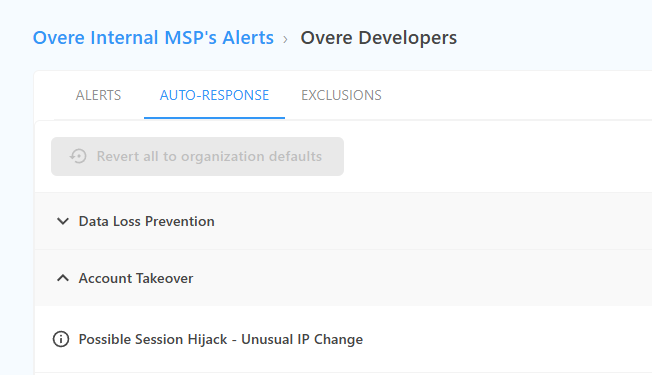
Overe Monitor surfaces risky sign-in alerts and session geography anomalies across managed tenants in real time. Two additional Conditional Access policy controls add automated enforcement alongside monitoring, blocking access from accounts showing high-risk signals without waiting for manual review. Both require Entra ID P2 (Microsoft 365 E5 or Entra ID P2 add-on):
For tenants on Business Premium or E3, prioritize the P1 controls in Steps 1 and 2 first. The P2 controls above provide an additional detection and response layer for tenants with the appropriate licensing.
Advise client users who travel for conferences, events, or client visits to use mobile data (personal hotspot or eSIM) rather than hotel or venue guest Wi-Fi for any Microsoft 365 access. If guest Wi-Fi is unavoidable, users should treat any prompt to download an update, run a script, or enter a Microsoft sign-in code as suspicious, even if it appears as part of the normal Wi-Fi login flow.
A password reset alone does not close the exposure. Refresh tokens stolen from the Windows token broker layer are not invalidated when a password changes. If a traveling user may have connected to a compromised network, take the following steps:
Overe Respond and the Auto Response Engine can automate session revocation and account containment, removing active access immediately while investigation is underway. OAuth consent grant revocation requires a separate manual step in Entra ID.
CaptiveCrunch has two Microsoft 365 entry points: device code phishing and token theft from compromised devices. Both are addressable through Conditional Access enforcement, but both require that the relevant CA policies are actually enforced, not just configured.
Configured does not mean enforced.
A Conditional Access policy blocking Device Code Flow may appear correctly set up in the Entra ID policy editor while leaving authentication gaps due to exclusions, policy overlap, or a policy left in report-only mode. Token binding protection may be scoped incorrectly or left in report-only mode across some tenants while appearing active in others.
Overe Conditional Access Assurance (CAA) validates whether intended CA protections are consistently enforced across real authentication flows, not just configured in the policy console. For MSPs managing multiple tenants, CAA surfaces enforcement gaps across the full estate so that a policy drift or exclusion in one client tenant does not go unnoticed while other tenants are under review.
The Overe Microsoft 365 Attack Simulator runs through the session theft and AiTM scenario that CaptiveCrunch exploits, showing exactly which Conditional Access paths would allow a stolen token to succeed in a real tenant, before an attacker finds them first.
