
A sophisticated new phishing technique dubbed “ConsentFix” has emerged, representing a dangerous evolution of the “ClickFix” and “FileFix” social engineering tactics. This was initially unveiled by Push Security.
https://pushsecurity.com/blog/consentfix
ConsentFix is a browser-native phishing technique that abuses Microsoft’s OAuth sign-in flow to gain access to Microsoft 365 accounts without stealing passwords or triggering MFA, effectively bypassing conditional access by tricking users into completing a legitimate authorisation step for a trusted app, which attackers then use to obtain valid access tokens and maintain access to cloud resources.
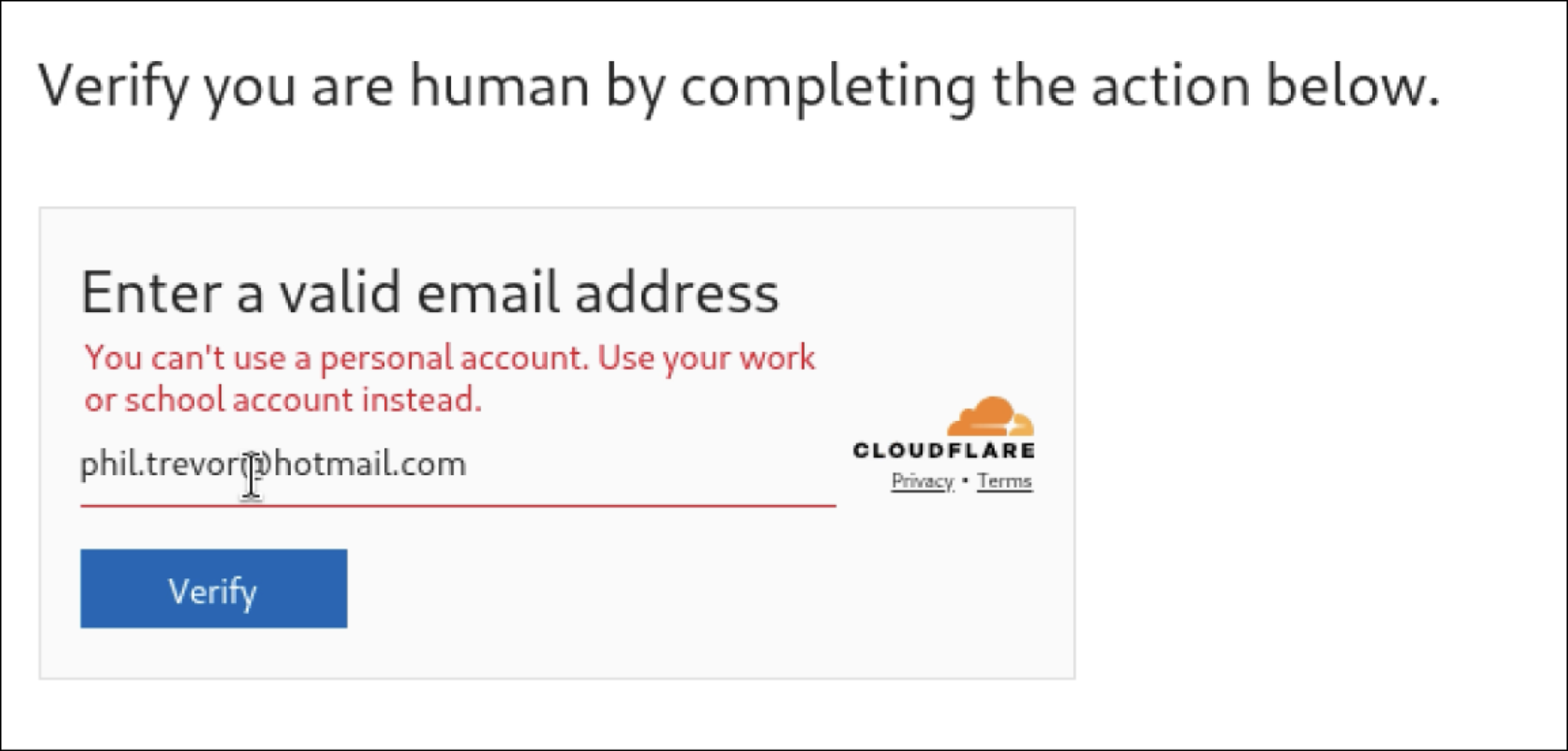
The Legitimate Sign-In: If the email is valid, the page triggers a legitimate Microsoft OAuth sign-in flow for a first-party app (typically Azure CLI, App ID: 04b07795-8ddb-461a-bbee-02f9e1bf7b46). Because these apps are often pre-consented in most tenants, no warning or admin approval prompt appears.
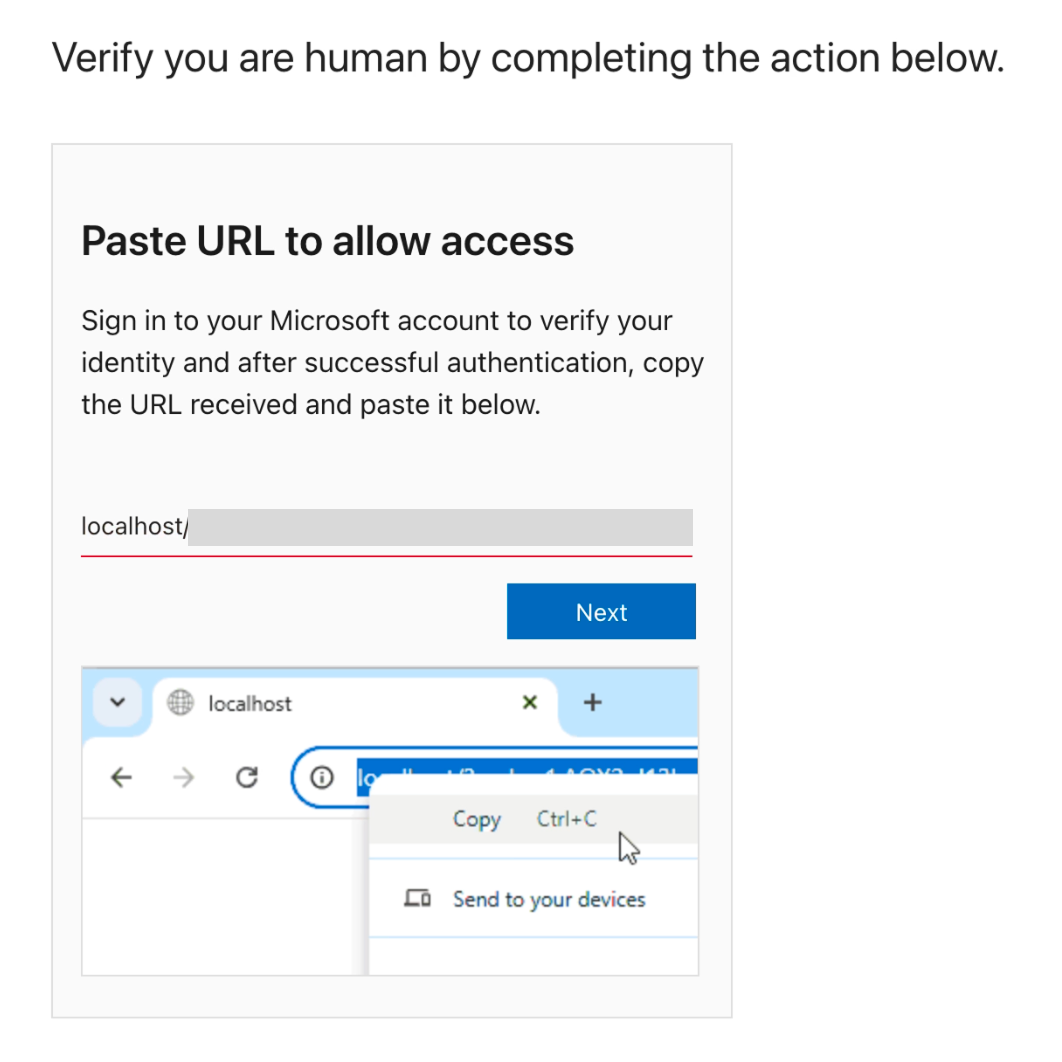
The Capture: After the user signs in, Microsoft redirects the browser to a localhost URL containing an OAuth authorization code. Since no app is listening on the user's local machine, the browser shows an error. The phishing page then social-engineers the user into copying this "error" URL and pasting it back into the phishing site to "fix" the connection.
Unlike traditional phishing that steals passwords or delivers malware, ConsentFix hijacks OAuth authorization codes directly within the browser context. By exploiting the inherent trust in first-party Microsoft applications like Azure CLI, attackers can gain full, persistent access to cloud environments while completely bypassing multi-factor authentication (MFA) and phishing-resistant controls like conditional access.
Without automated protection, identifying and stopping a ConsentFix attack depends on users reporting suspicious activity and IT teams responding manually, often after access has already occurred. With Overe, this behaviour is detected automatically and access can be revoked in real time, significantly reducing both risk and response time. The following outlines both approaches.
Without automated protection
With Overe

See exactly how alerts look in Overe in the demo below.
Together, these hardening controls, combined with real-time detection and automated response, help ensure Microsoft 365 remains protected even as attackers shift away from passwords and towards token-based techniques.
If you would like to learn more about this threat, or understand how Overe helps both existing customers and prospective users detect and protect against attacks like ConsentFix and other threats, please contact us for more information
